Video walkthrough
Read the written stepsRead the transcript
Before you watch
- Save the property facts, narrative, images, map, financial inputs and contact details before review.
- The recording starts with a prepared complete OM. In your own document, inspect every page and correct source inputs before generating a new PDF.
Outcome
You will download a PDF from the latest saved document and verify every page before treating the file as final.
Navigation path
Document Wizard > Review & Customize > Download PDF
Access
PDF output and any watermark or upgrade behavior follow the current account plan.
On this page
Before you start
Data, sources, and access to prepare
- A completed final-quality check
- All pending saves completed
- A supported browser download location
Prepare these details
- Close an older PDF with the same filename
- Confirm the current document and modified time
- Wait for images, maps, and fonts to load in Review
- Know where the browser saves downloads
Complete the task
- 1
Confirm the save state
Review & Customize
Wait until your latest changes show Auto-saved.
Expected result: No pending edit remains before generation.
If this step does not work
Return to the edited source section if a save error remains.
- 2
Start one export
Review & Customize
Select Download PDF once.
Expected result: The export progress state appears.
If this step does not work
Do not start a second export while the first is active.
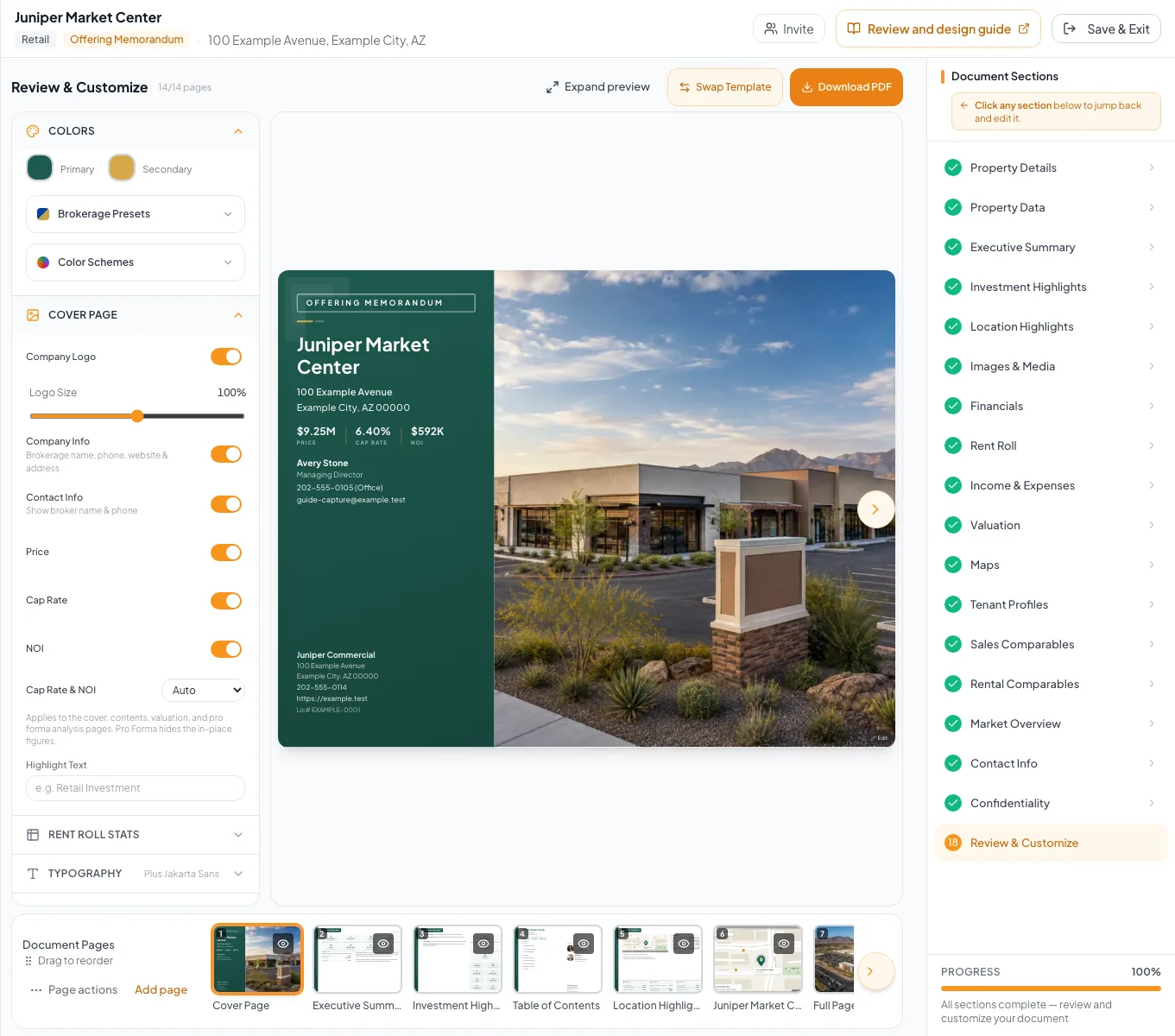
Generate the PDF, inspect the downloaded file, and use the recovery steps when rendering or download fails. - 3
Wait for the download
Review & Customize
Wait until PDF generation completes.
Expected result: The browser receives a new PDF file.
If this step does not work
Read the displayed error before retrying once.
- 4
Open the new file
Browser downloads
Open the file whose timestamp matches the current export.
Expected result: A PDF viewer displays the new artifact.
If this step does not work
Locate the configured download folder if the browser did not open it automatically.
- 5
Inspect every page
PDF viewer
Advance through every page at normal viewing size.
Expected result: Text, images, maps, tables, page numbers, and links render as intended.
If this step does not work
Record the first failing page and correct its source before exporting again.
- 6
Rename the approved copy
File system
Give the verified PDF a clear approved filename.
Expected result: The deliverable is distinguishable from drafts and older versions.
If this step does not work
Keep the original download until the renamed copy opens successfully.
PDF problem isolation
Old value
- Likely source
- Pending or stale source data
- First check
- Wizard save state and newly downloaded timestamp
Blank image or map
- Likely source
- Source asset or capture
- First check
- Review page before export
Overflow or clipping
- Likely source
- Content length or template layout
- First check
- Narrative source and design controls
Unexpected missing page
- Likely source
- Page visibility or conditional section
- First check
- Review page strip and document setup
Generation failure
- Likely source
- Incomplete request or transient processing error
- First check
- Displayed error and one controlled retry
Troubleshooting and next steps
The PDF contains old data.
Likely cause: The export began before a source save completed or an older file was opened.
- Confirm the source value shows Auto-saved.
- Generate once more.
- Open the newest timestamped file.
PDF generation fails repeatedly.
Likely cause: A source page, asset, entitlement, or processing request may be failing.
- Read and retain the exact error.
- Confirm Review pages render.
- Contact support with the document identity and error after one controlled retry.
Final verification
- The PDF timestamp matches the current export
- Every page was opened and inspected
- Links and contact details are correct
- Financial tables and media render fully
- The approved filename distinguishes the final copy
- No blocking warning, failed status, or unresolved validation message remains in the completed workflow.
Your next OM, done this afternoon
Turn your property facts, photos and financials into a polished, branded offering memorandum. Most brokers finish in 30 to 90 minutes.
No credit card required.