Outcome
You will grant the correct type of access and maintain a clear version trail when a delivered document changes.
Navigation path
Documents > Document action menu
Access
Collaboration and ownership actions depend on team role. Public and campaign distribution features follow plan access.
On this page
What you will accomplish
Access versus delivery
An editor needs app collaboration. A recipient needs the approved output channel.
Person needs document
Needs to edit
Needs to receive
Share collaborator access
Send verified output
- Person needs documentNeeds to edit
- Person needs documentNeeds to receive
- Needs to editShare collaborator access
- Needs to receiveSend verified output
Before you start
Data, sources, and access to prepare
- A document you own or may share
- The intended teammate or recipient
- A clear reason for the update
Prepare these details
- Confirm whether the person must edit or only receive
- Confirm confidentiality and company approval
- Identify every prior file, link, listing, or campaign affected by the change
Complete the task
- 1
Choose collaboration or delivery
Document plan
Classify the person as an editor or recipient.
Expected result: The correct access path is clear.
If this step does not work
Ask the document owner before granting app access when the person only requested a copy.
- 2
Open Share for an editor
Documents > action menu
Select Share when collaborator access is required.
Expected result: The collaborator dialog opens without changing ownership.
If this step does not work
Use Transfer only when long-term ownership must change.
- 3
Select the collaborator
Share dialog
Choose the intended permitted user.
Expected result: The dialog identifies the person who will receive access.
If this step does not work
Verify name and email before confirming.
- 4
Confirm collaboration
Share dialog
Select the final share action once.
Expected result: The person appears in the document collaboration state.
If this step does not work
Refresh the document list before retrying an uncertain result.
- 5
Regenerate the output after an edit
Review & Customize
Select Download PDF after the updated document passes review.
Expected result: A current PDF is created from the saved source.
If this step does not work
Resolve any new review issue before distributing it.
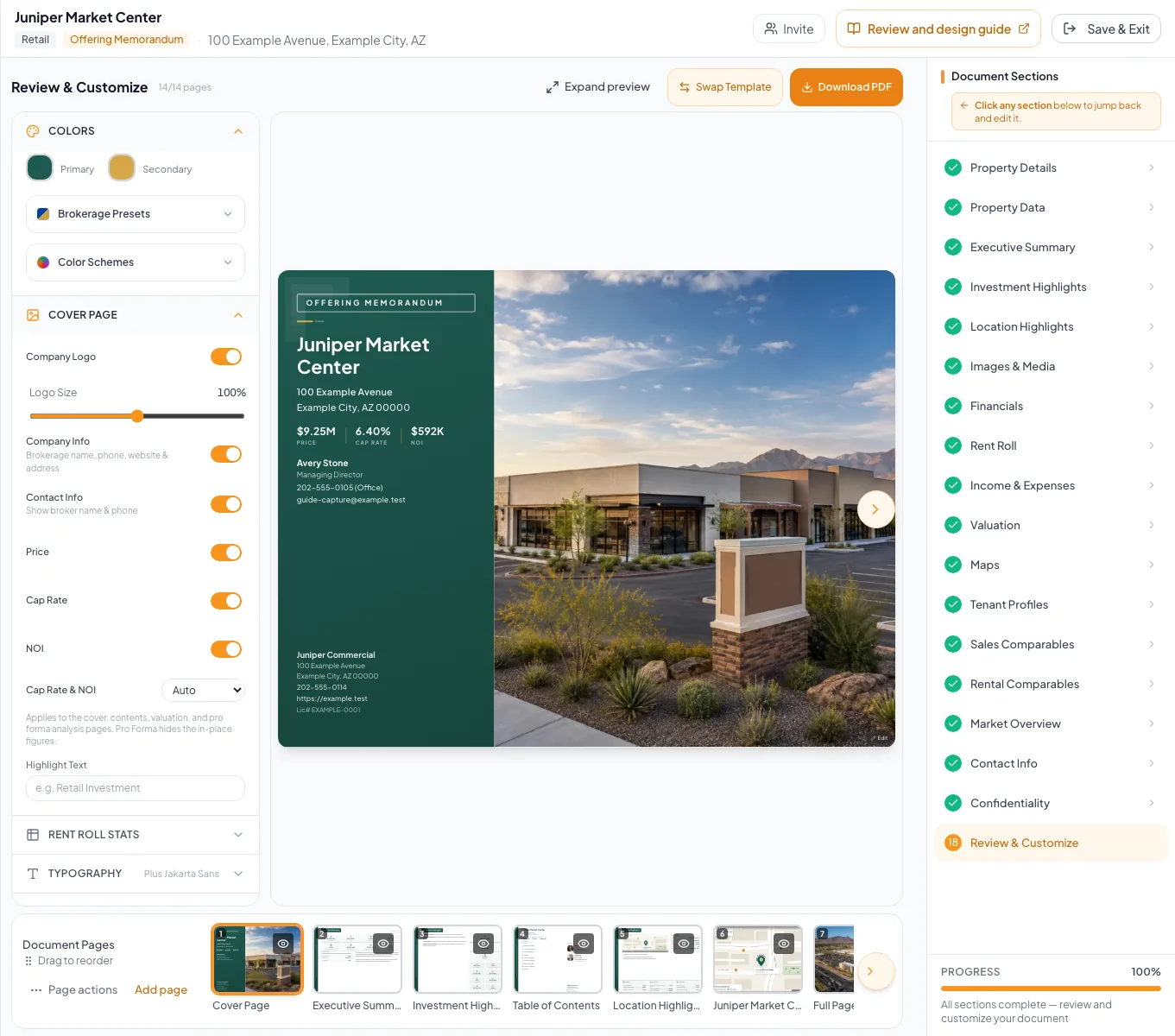
Update the source document, verify the new output, and send the corrected version through the intended channel. - 6
Replace the distributed version
Approved delivery channel
Send or publish the one newly approved artifact.
Expected result: Recipients can identify the current version.
If this step does not work
State clearly that the earlier version is superseded when recall is impossible.
Change-impact reference
| Changed source | Recheck |
|---|---|
| Property or financial fact | Narrative, calculated metrics, final PDF, public listing |
| Photo or map | Every template placement, PDF, and public property page |
| Contact or disclosure | Contact pages, cover, campaigns, access flows |
| Page visibility or order | Full PDF sequence and contents references |
| Listing access or status | Signed-out public experience and captured-lead behavior |
Troubleshooting and next steps
A recipient cannot edit the document.
Likely cause: A PDF or public link was delivered instead of collaborator access.
- Use the Documents Share action for a permitted teammate.
- Verify their account and workspace access.
Recipients still use an old PDF.
Likely cause: Downloaded files are fixed snapshots.
- Send the newly approved PDF with a clear version label.
- State that the prior file is superseded.
Final verification
- Only intended collaborators have app access
- The document owner remains correct
- The replacement output was generated after the edit
- Recipients can distinguish the current artifact
- Affected listings or protected experiences were retested
- No blocking warning, failed status, or unresolved validation message remains in the completed workflow.
Your next OM, done this afternoon
Turn your property facts, photos and financials into a polished, branded offering memorandum. Most brokers finish in 30 to 90 minutes.
No credit card required.