Outcome
You can choose the safe next action for each campaign status and avoid duplicate sends when messages may already have gone out.
Navigation path
Email Blasts > Recent blasts
Access
Included with any paid CREBuilder plan. Saved drafts and send history stay listed if a subscription lapses.
On this page
Before you start
Data, sources, and access to prepare
- A submitted hosted campaign or downloaded HTML event
Find a recent campaign
- 1
Open Recent blasts
Email Blasts > Recent blasts
Locate the campaign by subject, method, and date after the table finishes loading.
Expected result: The latest row for the campaign is visible when it falls within the latest 50.
If this step does not work
If loading fails, retry before concluding that no attempt exists.
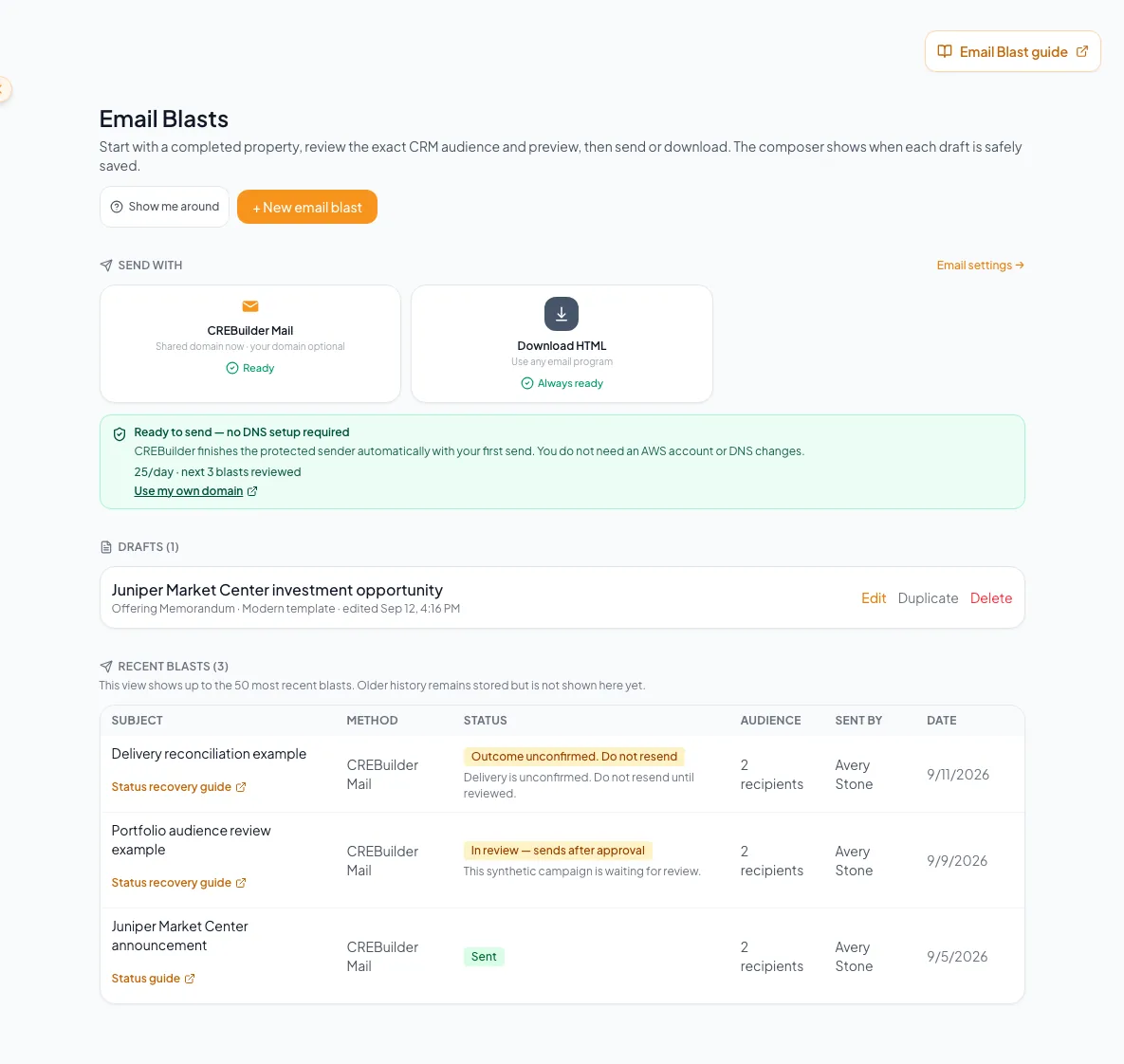
Interpret review, sending, held, rejected, failed, partial, and unconfirmed states within the history the product retains. - 2
Confirm method and historical provider label
Recent blasts > campaign row
Read whether the event used CREBuilder Mail, Download HTML, or a retained legacy provider label.
Expected result: You understand the delivery boundary represented by the row.
If this step does not work
Do not expect a legacy label to be available as a current send method.
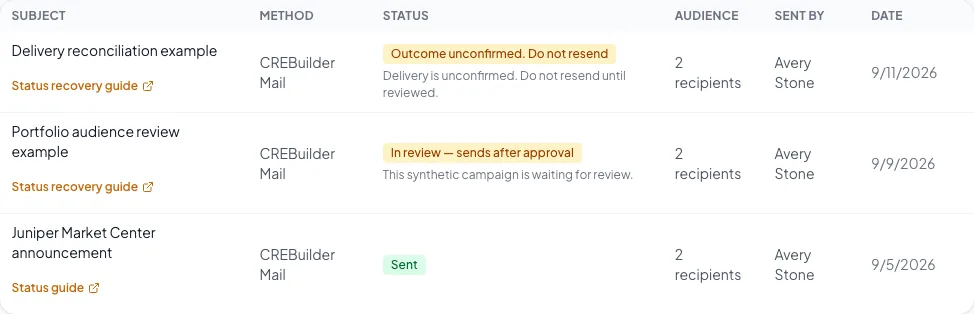
Use campaign history to review the recorded delivery status. - 3
Read status and available detail
Recent blasts > status and detail
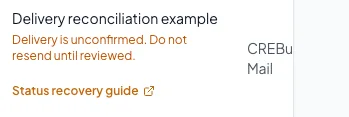
Read the status, recorded sent count, suppressed count, and any partial-send, review, or refusal reason. On mobile, critical warning detail repeats below the subject before the horizontally scrollable Status column.
Expected result: The next action follows the evidence that the row actually exposes.
If this step does not work
A Sent row does not list which recipients failed. Use the sent count, not the Sent label alone, to judge whether everyone was reached.
Choose the correct action for every status
Sent
- Meaning
- One or more transport attempts were accepted or recorded.
- Safe next action
- Compare the recorded sent count with the effective audience you recorded at preflight. Do not claim inbox placement, opens, or clicks.
In review
- Meaning
- The campaign is held and will send only after approval.
- Safe next action
- Wait for approval or rejection. Do not submit another copy.
Sending
- Meaning
- Delivery is in progress or confirmation is still settling.
- Safe next action
- Wait and refresh history later. Do not resend.
Outcome unconfirmed
- Meaning
- CREBuilder cannot yet confirm whether messages went out.
- Safe next action
- Do not resend. Preserve the operation and wait for reconciliation or contact support.
Rejected
- Meaning
- Review did not approve the campaign and it was not sent.
- Safe next action
- Read the reason, correct the underlying issue, and create a new submission only when appropriate.
Failed
- Meaning
- The attempt reached a terminal failure state.
- Safe next action
- Read the reason and verify whether the UI explicitly permits a corrected new attempt.
Downloaded
- Meaning
- HTML was generated locally.
- Safe next action
- Import it into the external platform and complete audience, compliance, scheduling, and delivery there.
Draft created
- Meaning
- A retained legacy workflow created a provider draft.
- Safe next action
- Treat it as historical. A draft is not sent.
Never work around uncertainty with a duplicate send
Sending and Outcome unconfirmed are the two critical states where a provider attempt may already exist. Wait for reconciliation or obtain support guidance.
Recognize possible partial results and CRM activity projection
Eligible recipient attempts become contact activity
Suppressed addresses are removed before sending. Each accepted message is then recorded on that contact’s CRM timeline.
Hosted campaign operation
Suppression check
Separate recipient attempts
Accepted attempt
Failed recipient attempt
Email Blast activity on the contact
- Hosted campaign operationSuppression check
- Suppression checkSeparate recipient attempts
- Separate recipient attemptsAccepted attempt
- Separate recipient attemptsFailed recipient attempt
- Accepted attemptEmail Blast activity on the contact
- 1
Compare the recorded sent count
Recent blasts > Sent row > Audience
Compare the recorded sent count with the effective audience recorded during preflight, using the displayed summary as context.
Expected result: A lower sent count and its reason identify a partial send.
If this step does not work
A manual reconciliation can include previously unresolved rows in the recorded sent count. Do not resend or guess which addresses failed. Contact support with the exact operation evidence.

Review the delivery outcome and use the relevant troubleshooting guide. - 2
Verify CRM timeline evidence
CRM > Contacts > Person > Timeline
For a known recipient, look for the Email Blast activity once the campaign shows Sent.
Expected result: The timeline reflects accepted hosted campaign activity once, not a composer click.
If this step does not work
A missing timeline event does not justify resending. Check campaign status and recipient outcome first.
- 3
Handle a Downloaded row
Recent blasts > Downloaded
Confirm that the event represents file generation only.
Expected result: No CREBuilder-hosted recipient is treated as sent.
If this step does not work
Complete and verify the send in the chosen external platform. CREBuilder cannot report that platform’s outcome from this row.
What a Sent row shows
A Sent row shows the accepted count, the number of suppressed addresses, and a short summary of any partial send. It does not list which recipients failed. Support can look into a specific send: note the subject, sender, time, audience count, and any operation ID shown.
Report only what history proves
| Question | What Recent blasts can prove |
|---|---|
| Was hosted transport accepted? | Sent or a more specific recipient result can support accepted-attempt language. |
| Was the message delivered to the inbox? | No. Provider acceptance is not inbox placement. |
| Did the person open or click? | No. Open/click analytics are not exposed. |
| Was a future send scheduled? | No. Hosted scheduling is not available. |
| Was downloaded HTML sent externally? | No. Downloaded proves file generation only. |
| Which recipients failed in a reviewed Sent campaign? | The row shows a partial-send summary, not a failed-recipient list. Ask support rather than guessing or resending. |
| Is this the full company archive? | No. The hub shows the latest 50 returned rows. |
A campaign is no longer in the visible table
Likely cause: More than 50 newer history rows exist.
- Do not describe the hub as full history.
- Collect subject, approximate date, sender, method, and recipient context.
- Use the documented support path for older evidence.
A row remains Sending or Outcome unconfirmed
Likely cause: The reconciliation process has not reached a final result.
- Do not resend.
- Refresh after a reasonable interval.
- Preserve screenshots and operation context.
- Contact support if it does not settle.
A recipient says the message was not received although status is Sent
Likely cause: Acceptance by the mail provider does not guarantee inbox placement.
- Confirm the exact address.
- Ask the recipient to check filtering or quarantine.
- Review later bounce or complaint suppression state.
- Do not claim open or delivery telemetry that the product does not expose.
Final verification
- Recent blasts > status and detail: The next action follows the evidence that the row actually exposes.
- Recent blasts > Sent row > Audience: A lower sent count and its reason identify a partial send.
- CRM > Contacts > Person > Timeline: The timeline reflects accepted hosted campaign activity once, not a composer click.
- Recent blasts > Downloaded: No CREBuilder-hosted recipient is treated as sent.
- No blocking warning, failed status, or unresolved validation message remains in the completed workflow.
Related tasks

Your next OM, done this afternoon
Turn your property facts, photos and financials into a polished, branded offering memorandum. Most brokers finish in 30 to 90 minutes.
No credit card required.