Outcome
You will leave each section with confirmed saved data and distinguish a hidden conditional section from a loading or permission problem.
Navigation path
Documents > Open document > Document Wizard
Access
Save and validation behavior applies to permitted document editors. Sections remain conditional on the document setup.
On this page
Before you start
Data, sources, and access to prepare
- Access to the document
- A stable network connection
Prepare these details
- Note the document package, property type, template, and single or multi-property structure
- Copy irreplaceable draft text before troubleshooting a persistent save error
- Read the exact validation or save message
Complete the task
- 1
Make one controlled change
Current wizard section
Edit one field or content block.
Expected result: The section shows an unsaved or saving state.
If this step does not work
Reload the section before editing if the existing data did not finish loading.
- 2
Resolve one validation message
Current wizard section
Correct the field named by the message.
Expected result: That validation message clears.
If this step does not work
Check the field format and unit rather than repeatedly submitting the same value.
- 3
Trigger the supported save
Current wizard section
Select Save when a Save action is present.
Expected result: The save state changes to saving.
If this step does not work
Keep the page open if the action is disabled while another request completes.
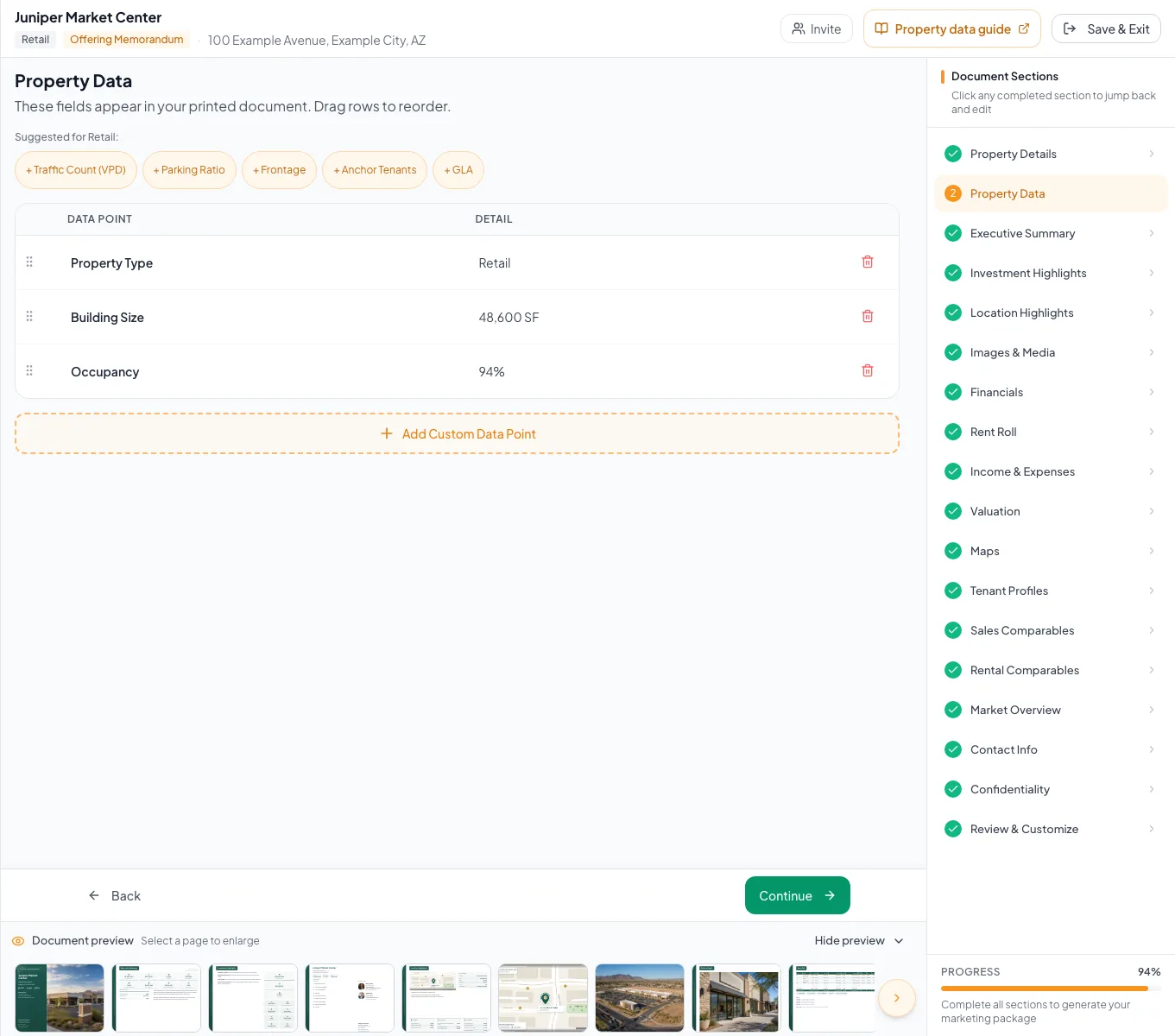
Watch the save state, resolve validation messages, and confirm that conditional steps reflect the document setup. - 4
Wait for confirmation
Wizard footer or section
Wait for Auto-saved to appear.
Expected result: Your latest change is saved.
If this step does not work
If an error appears, preserve the input and retry once after checking the connection.
- 5
Open the next section
Wizard navigation
Select Continue or an available section in Document Sections or the Sections drawer.
Expected result: The wizard waits for pending saves before opening the destination.
If this step does not work
If a save fails, the current section retains the input and shows Retry save. Retry before navigating again.
Save and section-state reference
Narrative drafts and many field edits save automatically. Dialogs, uploads and map creation keep their labelled save or confirmation actions. Continue, Back, Sections navigation and Save & Exit wait for pending wizard saves. A failed save keeps the input available and offers Retry save; it does not mean the change reached the server. Keep the page open until recovery succeeds.
Unsaved changes
- Meaning
- Local edits have not completed saving
- Safe response
- Stay on the section
Saving...
- Meaning
- Your change is being saved
- Safe response
- Wait without repeating the action
Auto-saved
- Meaning
- Your latest change is saved
- Safe response
- Continue to the next section
Error
- Meaning
- The change was not confirmed
- Safe response
- Keep the input and retry after reading the error
Section absent
- Meaning
- The setup may not include that section
- Safe response
- Confirm package, property type, scope, and template
Troubleshooting and next steps
The save stays in progress.
Likely cause: A request or network response has not completed.
- Wait without clicking Save repeatedly.
- Preserve the entered content before refreshing if the state does not resolve.
A wizard step is missing.
Likely cause: The package, property type, financial scope, template, or multi-property mode may not use it.
- Compare the document setup with the expected workflow.
- Do not create substitute data in an unrelated section.
Final verification
- Every edited section showed Auto-saved
- No visible validation remains
- The section set matches the document setup
- The edited values persist after revisiting the section
- No blocking warning, failed status, or unresolved validation message remains in the completed workflow.
Your next OM, done this afternoon
Turn your property facts, photos and financials into a polished, branded offering memorandum. Most brokers finish in 30 to 90 minutes.
No credit card required.