Outcome
You will use suggestions as an editable starting point and verify every inserted fact before publishing it.
Navigation path
Document Wizard > Supported narrative section > Suggested copy
Access
Suggestions appear only for supported content sections with a selected property type.
On this page
Before you start
Data, sources, and access to prepare
- A property type selected on the document
- A supported narrative section
- Verified property data for any inserted placeholders
Prepare these details
- Decide which idea the paragraph or bullet must communicate
- Review current property data that may fill placeholders
- Place the cursor where the suggestion should be inserted
Complete the task
- 1
Open suggested copy
Supported narrative editor
Select Suggested copy if its panel is closed.
Expected result: Suggested copy appears to the left of the draft or in its own drawer, depending on the available writing space.
If this step does not work
Key metrics and Nearby access have separate controls and panels.
- 2
Choose a category
Suggested copy
Select one category relevant to the intended point.
Expected result: The category displays its available suggestions.
If this step does not work
Choose a different category if the suggestions do not match the property evidence.
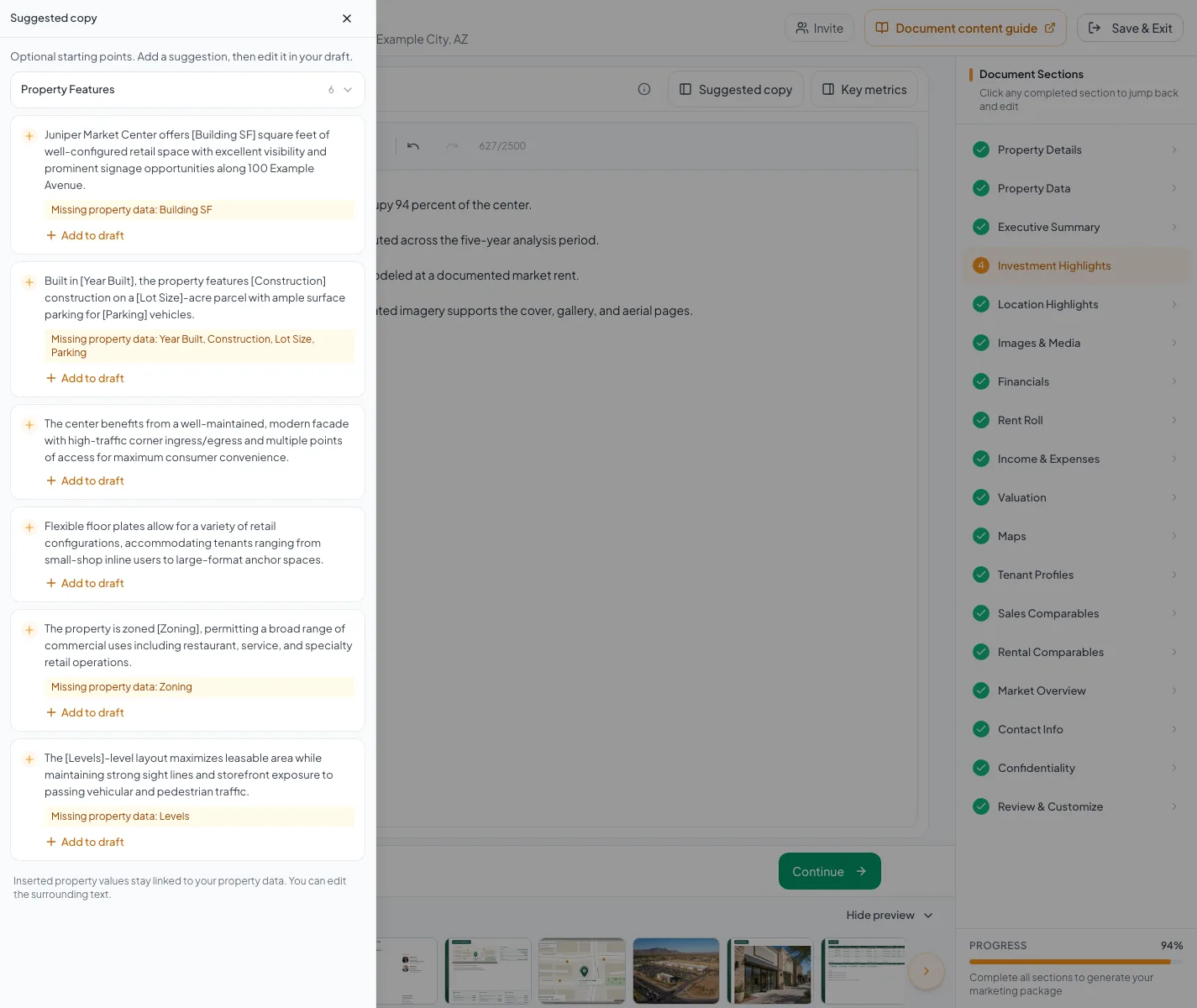
Use Add to draft for a suggestion, verify missing property values, and review calculated metrics separately from editable narrative. - 3
Insert one suggestion
Suggested copy
Select Add to draft on one suggestion.
Expected result: The suggestion is inserted at the current editor position.
If this step does not work
Use Undo if it appears in the wrong location, then place the cursor where the copy belongs.
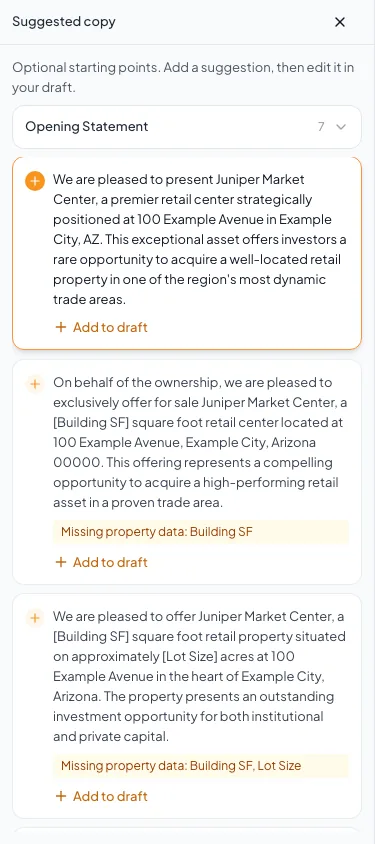
Open Suggested copy, review a starting point, then use Add to draft when it fits. - 4
Inspect each placeholder
Narrative editor
Select or review each inserted live data value.
Expected result: Every placeholder resolves to an expected property value or remains visibly unresolved for correction.
If this step does not work
Update the owning property field or replace unsupported copy when a value is wrong or absent.
- 5
Rewrite the inserted copy
Narrative editor
Edit the suggestion so it states only verified property-specific claims.
Expected result: The copy matches the assignment’s facts and voice.
If this step does not work
Delete the suggestion if the underlying claim cannot be supported.
- 6
Confirm the narrative save
Your draft
Wait for the automatic save to finish after editing the inserted text.
Expected result: The saved indicator confirms the updated narrative.
If this step does not work
Keep the draft open and select Retry save if a save fails.
Placeholder behavior
Suggested copy is an optional starting point, not saved narrative until you choose Add to draft. Missing property values are identified on the suggestion. Verify or remove those claims before delivery. A suggestion with live data tokens can update when its structured source changes; manually typed prose still needs your review.
Troubleshooting and next steps
Suggestions do not appear.
Likely cause: The section or property type may not have suggestion content.
- Confirm that a property type is selected.
- Write the section directly when no supported suggestions exist.
A placeholder displays the wrong value.
Likely cause: The underlying structured property field is missing or incorrect.
- Find the owning wizard field.
- Correct and save the source data before reviewing the narrative again.
Final verification
- No unresolved placeholders remain
- Inserted values agree with their source fields
- The wording fits the intended audience
- Unsupported claims were removed
- The final page was reviewed
- No blocking warning, failed status, or unresolved validation message remains in the completed workflow.
Your next OM, done this afternoon
Turn your property facts, photos and financials into a polished, branded offering memorandum. Most brokers finish in 30 to 90 minutes.
No credit card required.