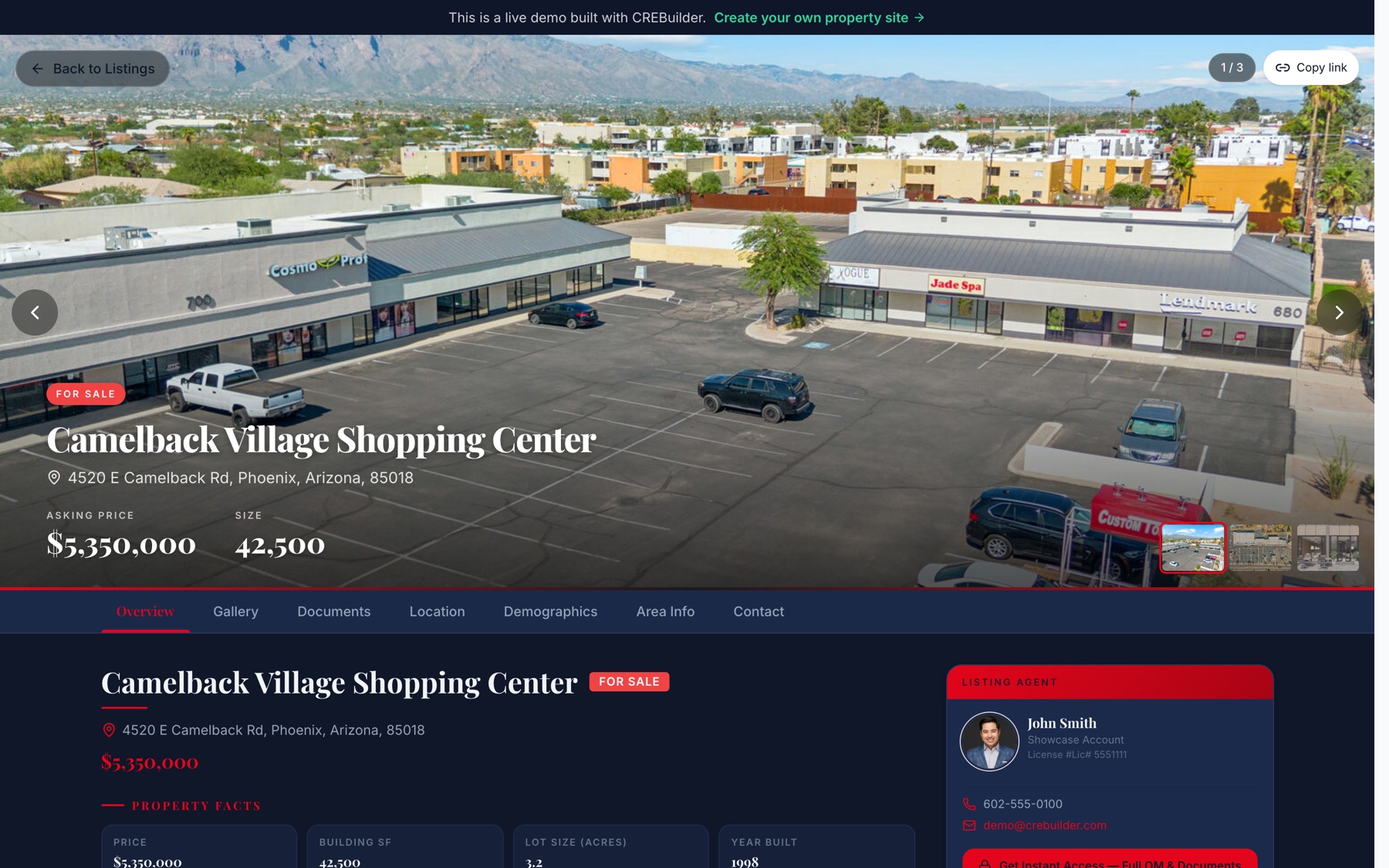
A buyer taps your listing link on their phone between meetings. Price, size and photos on the first screen. One tap on Inquire, and that buyer is a contact in your CRM with the property attached, before they've put the phone down.
That's the job of a commercial property website: turn a click into a conversation you can work. With CREBuilder Pro, every completed document can become a branded property website, so the OM you already built becomes the page buyers land on. No web designer, no retyping. Here's what a page like that gets right, with examples from CREBuilder's Listing Hub.
1. Answer the five questions on the first screen
Before a buyer scrolls, they should know:
- What is it? Property name and type (retail center, industrial, office, land)
- Is it for sale or for lease? A clear badge, not a guess
- Where is it? Full address
- What does it cost? Asking price, or rate with its unit ($/SF/YR)
- How big is it? Building SF, available SF or acreage
Big hero photo, those five facts over it, done. Everything else can live one tap down.
2. Organize the page the way buyers think
Buyers jump around. Give them tabs or anchored sections so they can go straight to what they care about:
- Overview: property facts, highlights and the investment story
- Gallery: your best photos, big
- Documents: the OM, flyer and anything else you're sharing
- Location: the map and what's nearby
- Demographics: population and income around the property
- Contact: who to call
A Listing Hub property page is built from the document you already made, so the photos, facts, financials and maps from your OM show up on the page without retyping anything.
3. Put the broker on every screen
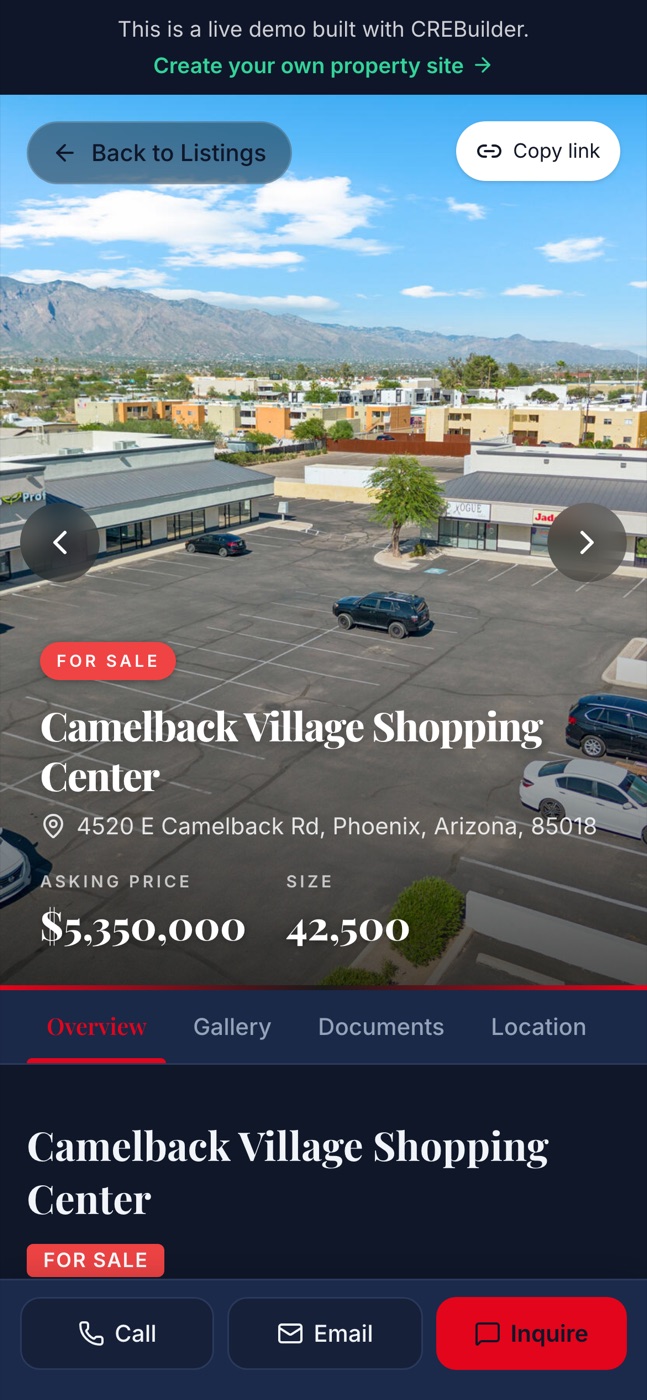
The listing agent card should be visible without hunting: headshot, name, direct line, email. On a phone, a sticky Call / Email / Inquire bar at the bottom means the buyer is one tap from you no matter how far they've scrolled.
4. Make every inquiry a lead, automatically
A contact form that dumps into a forgotten inbox is a leak. In CREBuilder, website inquiries create or update a contact in the CRM with the property attached and a deal created, so you know who asked about what and can call the same day. Nothing to retype.
5. Decide how much you give away up front
Not every document should be one click from anonymous. Choose the access level for each listing:
- Free access: anyone can view and download. Good for flyers and teasers.
- Email required: the buyer trades an email address for the OM. You get a lead.
- NDA: the buyer e-signs your confidentiality agreement before the full OM and documents open.
- NDA with your approval: they sign, and you decide who gets in.
For the rent roll, T-12 and leases, a Deal Room keeps confidential files behind that NDA, stamps PDF downloads with the buyer's identity, and shows you which buyer viewed the OM and who downloaded the rent roll. That's your call list.
6. Show your whole inventory, not just one listing
Buyers who like one of your listings want to see the rest. Listing Hub puts your whole inventory on one branded page:
- Map, Map + Grid, Grid and List views
- Filters for property type, sale or lease, status, search and sort
- Sold deals that stay up as your track record, so the next seller sees what you've closed
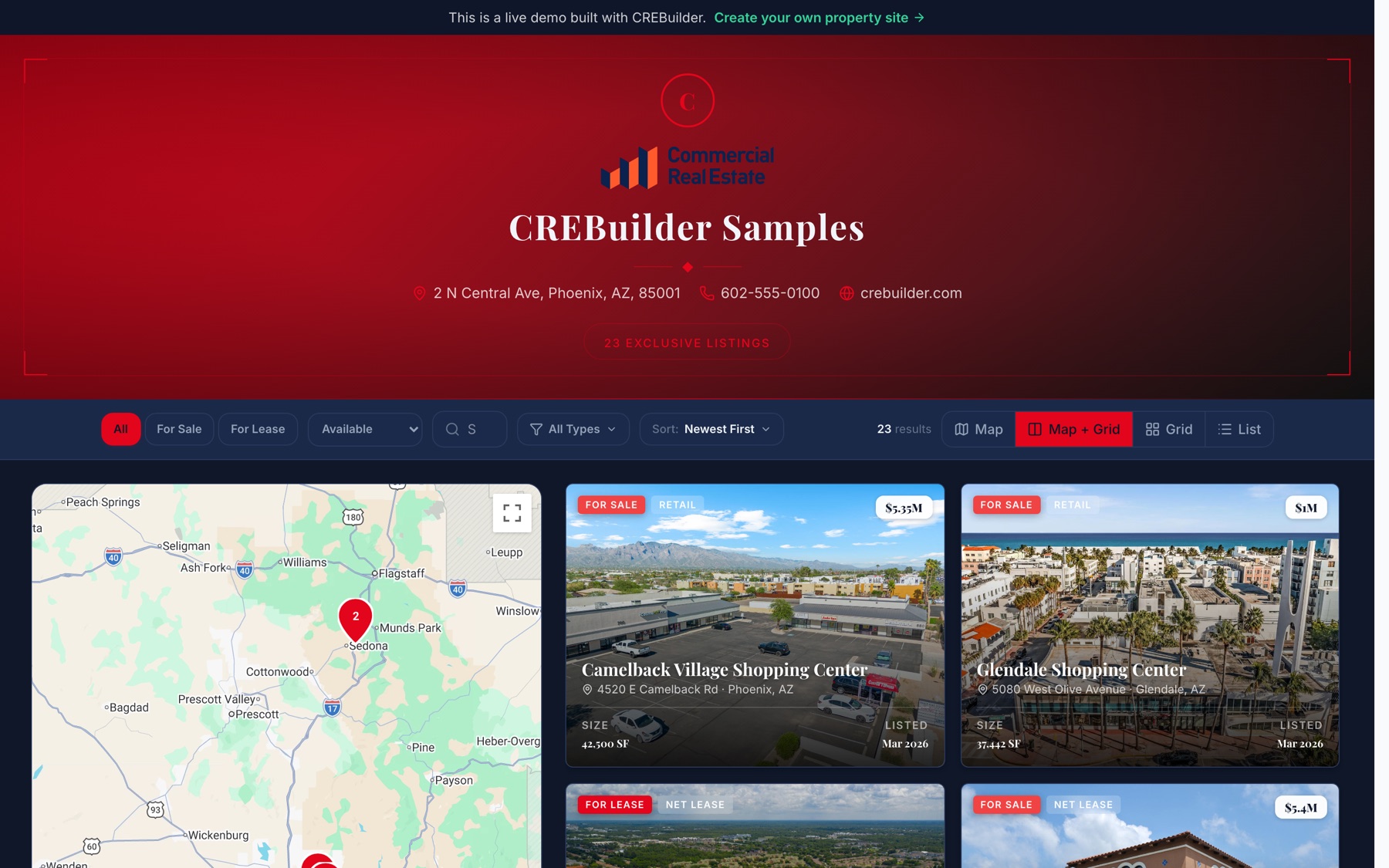
Listing Hub also shows views, downloads and inquiries for each property, so you can see which listings are pulling attention and which need a fresh price or a better photo.
7. Put it on your domain
Your listings should look like your brokerage, not a portal. Listing Hub runs on your own domain with SSL, like listings.yourbrokerage.com, and it's self-serve on Pro. You can point a domain at a single property too, for the trophy listing that deserves its own address. Your logo and brand colors carry across every page, same as every document you build.
8. Send it further with one switch
Turn on Sync and the listing goes out with no partner accounts to set up: LandSearch for sales and land leases, CRE Traded for sales, and FindSpaceNow for leases. When the deal is Sold or Leased, it drops off those sites automatically and moves into your track record on Listing Hub.
Before you share the link
A quick pass before the link goes to your buyer list:
- The five first-screen facts are right (type, sale/lease, address, price or rate, size)
- Price and rate have units
- Photos look sharp on a phone
- Your contact card shows on every screen
- Document access is set the way you want it
- A test inquiry shows up in your CRM
- The link opens logged out, on a phone
See a live example in the CREBuilder sample Listing Hub. Start with the document: build it free, and when you go Pro it becomes the property website that brings buyers to you. Build your first OM free.
Sample properties shown.