
The offering memorandum is the first thing a serious buyer judges you by. Before they tour the property or call the seller, they've read your book, checked your cap rate against your NOI and decided whether you're the kind of broker who gets the details right.
This guide walks through how to build an OM that holds up to that read: what goes in it, in what order, and the mistakes that cost credibility. Then it shows how to get from an address to a polished draft without a weekend in InDesign.
How to create a commercial real estate offering memorandum
Gather the property's facts and photos, build the financials (rent roll, NOI and cap rate), add location and market context, write the investment thesis, then assemble it all into a branded document. Most OMs run 15 to 40 pages. Here's the order that works:
- Gather property data and photos. Address, building and lot size, year built, zoning, parking, and professional exterior, interior and aerial photography.
- Build the financials. Rent roll, operating statement, NOI, cap rate and, for most investment sales, a multi-year cash flow so buyers can underwrite the deal.
- Add location and demographics. A location map, 1-, 3- and 5-mile population and income, access to highways and transit, and the employers and retailers that drive demand.
- Profile the tenants. For multi-tenant and net-lease assets: credit, lease terms, escalations and expirations.
- Write the investment highlights. Five to eight specific, quantified reasons to buy.
- Design the cover and executive summary. A strong hero photo, your branding and a one-page pitch for the deal.
- Tie it out and export. Every number matches across the book, the confidentiality page is in place, and the PDF looks like you'd hand it to an institutional buyer.
Done by hand, those seven steps take days. A modern OM builder handles the layout and the valuation math, so your time goes into the story and the numbers.
What is an offering memorandum?
An offering memorandum is the full sales book for a commercial investment property. It combines property details, financials, market context and presentation into one document that makes the case for buying. (For the full definition, see What Is an Offering Memorandum?)
A sales teaser is the one- or two-page introduction. The OM is the complete package buyers use to underwrite.
Essential sections every OM needs
Cover page and executive summary
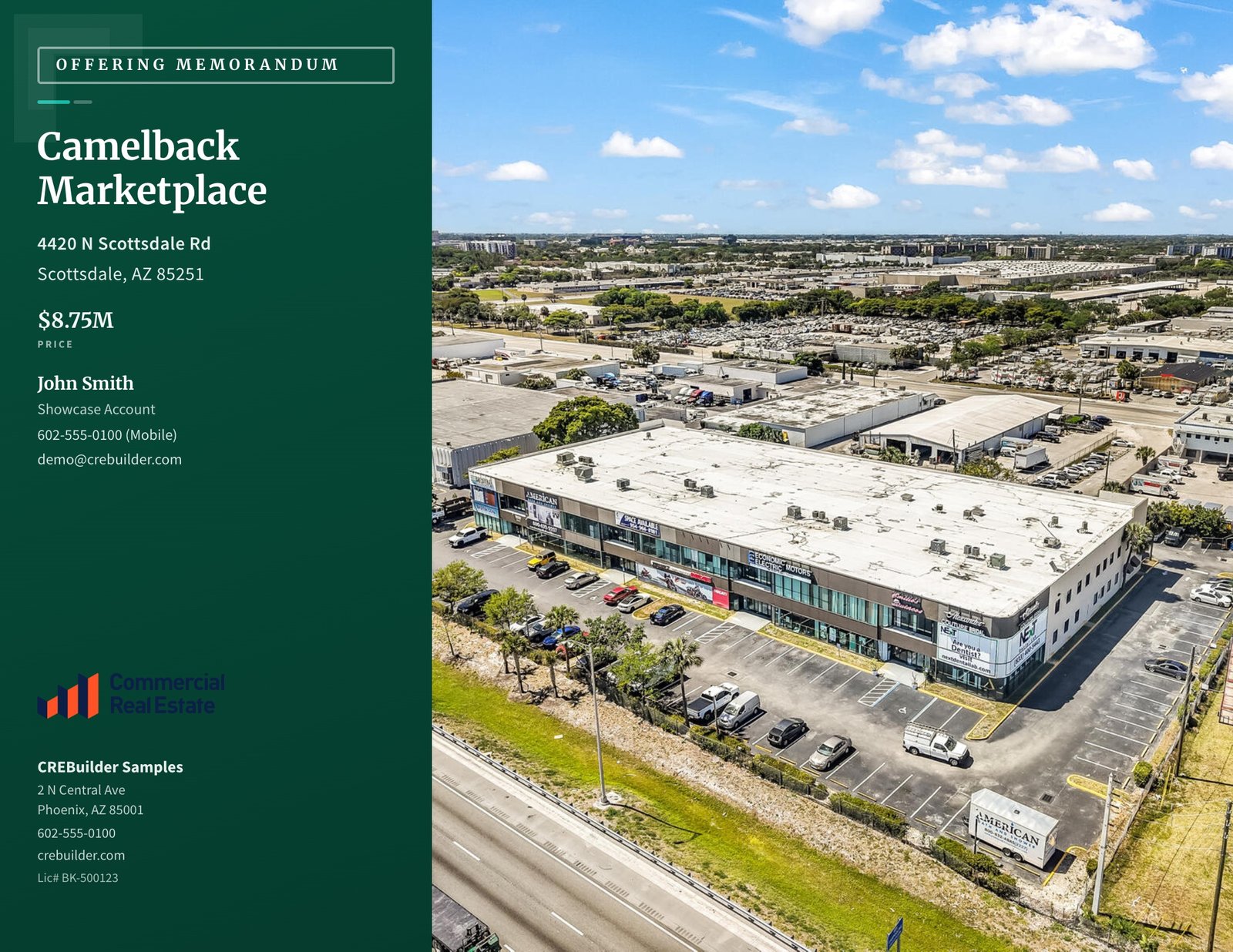
The cover sets the tone: property name, address, a high-quality hero photo and your brokerage branding. The executive summary follows with the elevator pitch.
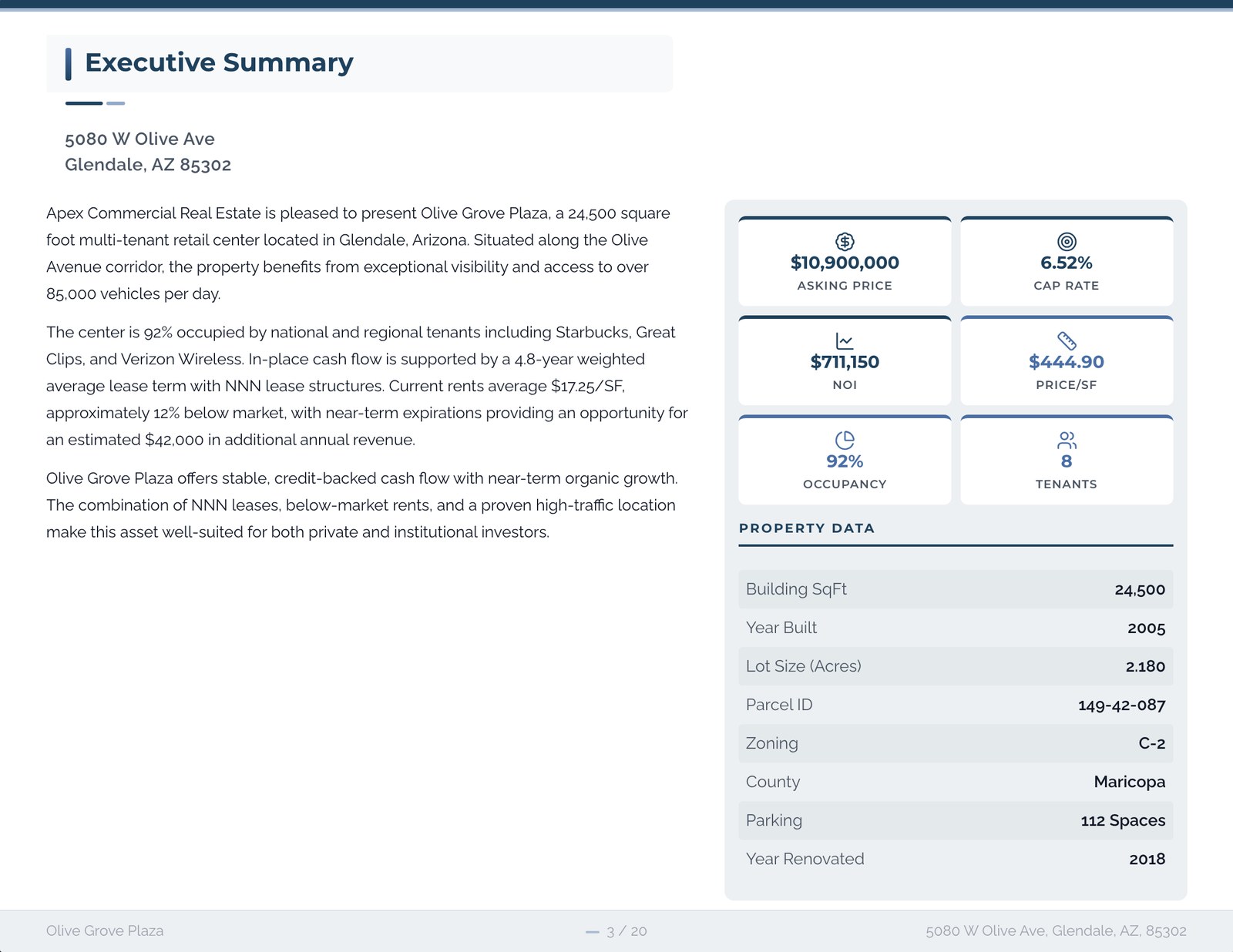
Lead with the investment thesis, not a single metric. A low cap rate on its own isn't a selling point. It's the price of the risk, and buyers know it. Tell them why the deal works: a long lease with a credit tenant, rents below market with a clear path to roll them, a corner no one can replicate. Then put price, cap rate and NOI right beside that thesis so the buyer can test it on the first page.
Property details
The physical story of the asset:
- Building size (gross and rentable SF)
- Lot size and zoning
- Year built and renovations
- Construction type and building class
- Parking count and ratio
Use professional photography throughout. Exterior, interior and aerial shots all help a buyer picture the asset before they visit.
Location and demographics
Investors buy locations as much as buildings. Show:
- A location map with the property in context
- Population and income within 1, 3 and 5 miles
- Access: highways, interchanges, airports and transit
- Demand drivers: major employers, anchors and nearby retail
- Traffic counts on adjacent roads, if you have a source for them
A retail map with real tenant logos communicates the quality of a location faster than any paragraph can.
Financial analysis
This is where serious buyers spend most of their time:
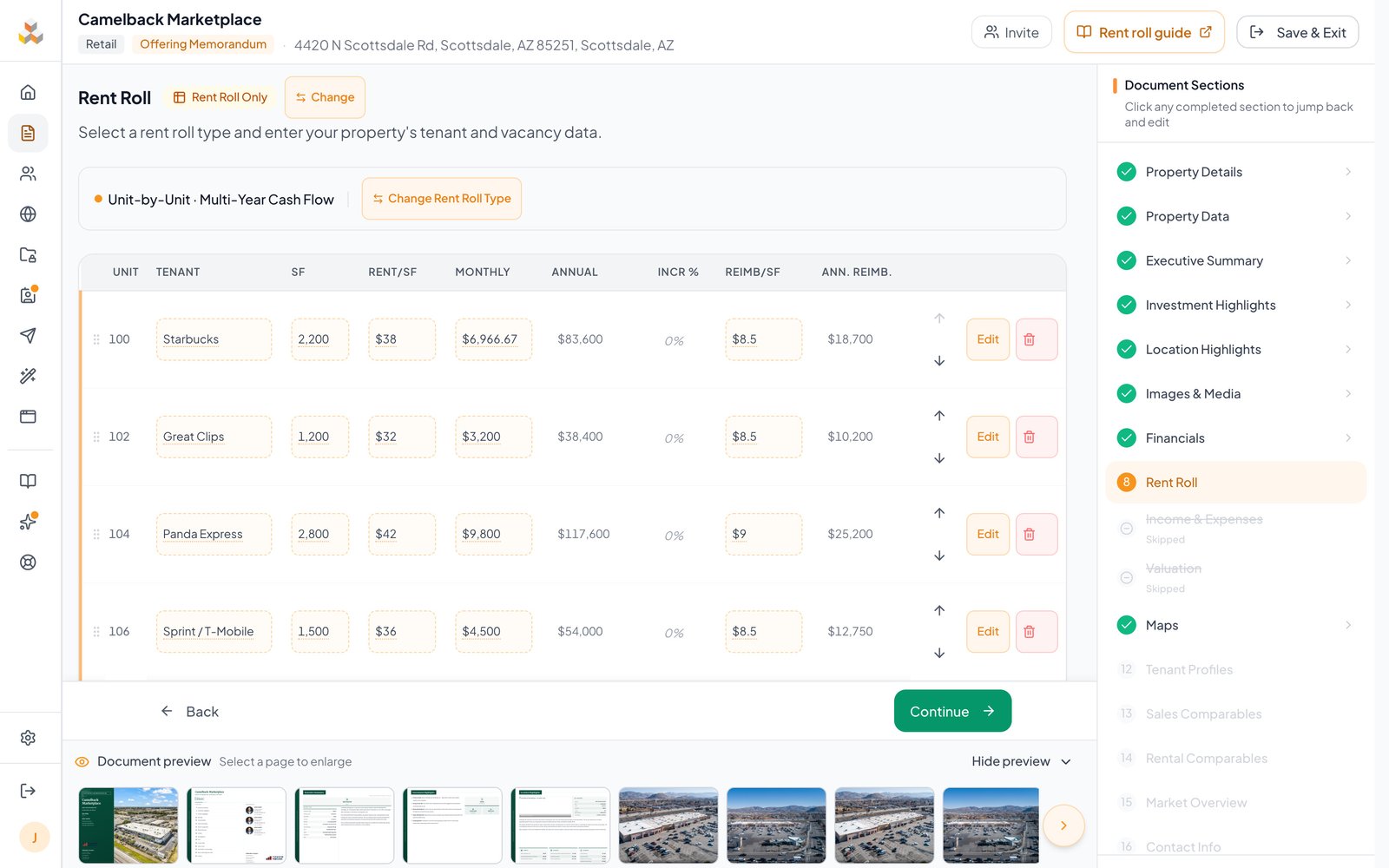
- Rent roll with tenants, suites, SF, rents and lease dates
- Operating statement (income and expenses)
- NOI and cap rate
- Cash flow projections, usually over a 5- to 10-year hold
- Expense reimbursements and vacancy assumptions
Label actuals as actuals and pro forma as pro forma. Buyers will forgive an aggressive projection that's clearly marked. They won't forgive one dressed up as history.
Tenant information
For multi-tenant properties, give each major tenant room:
- Company background and industry
- Lease terms: start, expiration, options
- Rent and escalation schedule
- Credit quality indicators
For single-tenant net lease, the tenant section matters even more. The tenant is the investment.
Investment highlights
Five to eight bullets, each specific enough that a buyer could check it:
- "Rents roughly 15% below market, with three leases rolling in 24 months"
- "10-year NNN lease with 2% annual escalations"
- "Hard-corner site with full signalized access"
Skip "great location" and "strong tenant." Every deal claims those.
Common mistakes to avoid
Inconsistent financials. If the cap rate on page 3 doesn't match the price and NOI on page 12, buyers question every number in the book. Derive price, NOI and cap rate once and use the same figures everywhere.
Poor photography. Dark phone photos undermine an otherwise professional document. Hire a photographer for any listing that matters.
Too much text, not enough data. Buyers want numbers, maps and photos. Long flowery paragraphs read like you're covering for weak fundamentals.
An incomplete rent roll. For multi-tenant deals, a full rent roll with lease dates is non-negotiable. Gaps signal sloppy preparation.
Property-specific considerations
Different property types call for different sections:
- Retail: tenant sales if available, co-tenancy and the trade area
- Multifamily: unit mix, rent comparables and renovation upside
- Industrial: clear height, dock doors, yard and power
- Hospitality: ADR, RevPAR, occupancy trends and franchise details
- Self-storage: unit mix by size, climate-controlled share and expansion potential
The best OMs are tailored to what buyers in that asset class actually underwrite.
Frequently asked questions
How long does it take to create an offering memorandum?
Built by hand in Word or InDesign, a professional OM can take several days and real design skill. In CREBuilder, the address fills in the building facts, demographics, map and market overview, you add the financials and photos, and you can go from address to a polished OM draft in one sitting.
How long is a commercial real estate offering memorandum?
Most run 15 to 40 pages. Single-tenant net lease sits at the shorter end; multi-tenant retail, large multifamily and portfolios run longer because of the rent roll and tenant detail.
What is the difference between an offering memorandum and a sales teaser?
A teaser is a one- or two-page summary that gauges interest, usually before a confidentiality agreement. The OM is the full package with financials, tenant data and market context for buyers who are underwriting the deal.
Do I need design skills to make an offering memorandum?
No. An OM builder handles layout and branding with professional themes, and your logo and colors apply to every page automatically. You supply the property, the numbers and the photos.
What financials go in an offering memorandum?
The rent roll, an operating statement, NOI, cap rate, expense reimbursements, vacancy assumptions and a multi-year cash flow, usually over a 5- to 10-year hold.
From address to OM
Type the property address into CREBuilder and the document starts building itself: building facts where data is available, 1-, 3- and 5-mile demographics, a market overview, city key facts, a location map, and nearby transit, airports and highways. Enter the price and NOI and the cap rate calculates itself. Add the rent roll, pro forma and comps right inside the OM, pick a professional theme, and watch the real pages build beside the editor as you work.
Bring a book to your next listing pitch that looks like the big shops made it. Build your first OM free.
Sample properties shown.